featured drop · fps
Play Dead Strike Online - Free Browser Game
Keep moving, aim carefully, and survive increasingly dense zombie waves in a confined FPS arena.
Recommended games
Similar energy to keep the flow going
Newest Games
Just added to the forest roster






Dead Strike guide
Overview, how to play, tips, and FAQs
1. Game Overview
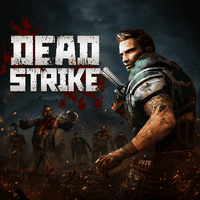
Dead Strike is a browser-based first-person shooter that removes distractions and places you directly inside an escalating zombie siege. The combat area is confined, undead arrive from multiple directions, and there are no long side missions to provide a break. Your goal is simply to survive for as long as possible while the density and danger of each wave continue to rise.
The familiar FPS controls make the first moments approachable: move with WASD, aim with the mouse, fire, reload, and sprint to create space. The challenge comes from using those basics under constant pressure. Standing still allows zombies to close from outside the camera, while firing without tracking ammunition can leave the weapon empty at the worst moment. Target priority, circular movement, and safe reload timing become more important than perfect accuracy against every distant enemy.
Dead Strike's appeal is its immediacy. A run begins quickly, difficulty increases visibly, and every mistake has a clear consequence. Players can focus on improving survival time, shooting efficiency, or the ability to control larger groups. It is best for FPS fans who enjoy arcade wave modes and want a compact test rather than an open-world campaign. The more the arena fills, the more satisfying it becomes to hold a route open and survive one additional wave.
Key Details:
- Genre: First-Person Zombie Wave Shooter
- Difficulty Level: Medium to Hard
- Average Play Time: 10-20 minutes per run
- Best For: FPS players who enjoy wave survival, aim practice, fast restarts, and escalating pressure
2. How to Play
Getting Started:
- Learn the arena's open routes before the first wave becomes crowded.
- Keep moving while aiming at the nearest immediate threat.
- Fire controlled bursts and watch the ammunition count.
- Reload only after creating distance from the horde.
- Survive consecutive waves and improve your best time or score.
Basic Controls:
| Action | Control |
|---|---|
| Move | W, A, S, D |
| Look / Aim | Mouse |
| Shoot | Left Mouse Button |
| Aim assist / precise aim | Right Mouse Button |
| Reload | R |
| Sprint | Shift |
Objective: Eliminate incoming zombies and remain alive through as many increasingly difficult waves as possible.
3. Game Features & Highlights
- ✓ Immediate FPS action without a long campaign or complex mission tree
- ✓ Continuous zombie waves that increase pressure over time
- ✓ Familiar keyboard-and-mouse controls for quick entry
- ✓ A confined arena that makes positioning and awareness essential
- ✓ Score and survival-time improvement across short repeatable runs
4. Tips & Strategies
Beginner Tips:
- Shoot the closest zombie first even if another target looks easier.
- Reload while moving through open space, not after reaching a corner.
- Keep one wide route available as an emergency escape lane.
Advanced Strategies:
- Move in a broad circle to gather zombies into one predictable group.
- Use short bursts to preserve ammunition and reduce unnecessary reloads.
- Turn the camera through the entire arena regularly to catch flanking threats.
What to Watch Out For:
- Backpedaling without checking behind you can trap the character against scenery.
- Emptying the magazine into a distant target may expose you to a closer attacker.
5. Game Elements Explained
Wave Pressure and Target Priority: Not every visible zombie deserves equal attention. The closest enemy, fastest mover, or creature blocking your escape route is usually the correct first target. Eliminating distant zombies while a nearby threat attacks wastes both health and time. Scan the arena between bursts and rank targets by how quickly they can end the run. As waves grow, use movement to combine enemies into a single group, then keep that group in front of the weapon. This reduces the number of directions you must monitor and makes every shot safer. Do not chase isolated enemies into a corner. Let them join the main horde while you preserve open ground. Wave survival is therefore a control problem: reduce immediate danger, maintain space, and prevent separate groups from surrounding you. Do not judge a strategy only by its best outcome. A reliable method should also survive an ordinary mistake or unlucky event, giving you enough time and resources to recover without restarting the entire attempt.
Movement, Ammunition, and Reload Windows: Movement creates the time needed to shoot. A circular or wide looping route keeps zombies behind or beside you without leading into a dead end. Sprint can repair a dangerous gap, but constant sprinting may reduce control and leave no extra speed for an emergency. Ammunition should be managed on the same rhythm. Fire controlled sequences, glance at the count, and reload while the horde is at a safe distance. Waiting for an empty click is risky because the full reload animation may begin after enemies are already close. Before pressing R, look toward the intended escape path and continue moving. The ideal reload window is created deliberately through positioning, not discovered by luck. Combining these habits makes later waves far more manageable than relying on aim alone. Practice this system during low-pressure moments whenever possible. Building the habit early means the same actions require less attention later, leaving more focus available for enemies, timers, navigation, and unexpected changes in the environment.
6. Frequently Asked Questions
Q: How do I survive longer in Dead Strike?
A: Keep moving in a wide loop, prioritize nearby threats, and reload before the magazine is empty while you still have space.
Q: What should I do if zombies surround me?
A: Sprint through the widest gap, avoid stopping to fight inside the group, and rebuild distance before firing again.
Q: Is the game compatible with mobile browsers?
A: The documented FPS controls require keyboard and mouse, so desktop play is strongly recommended.
Q: Can I save my progress?
A: Wave attempts are session-based and no persistent mid-run save is described.
Q: How do I unlock later waves?
A: Survive and clear the current wave; difficulty advances automatically as the run continues.
7. Related Games You Might Enjoy
If you like Dead Strike, you might also enjoy:
- Zombie Outbreak Arena - Another compact arena shooter centered on controlling undead crowds.
- Undead Corridor - A tighter zombie shooting challenge with constant forward pressure.
- Zombie Shooter - It shares familiar FPS controls and endless-wave survival goals.
Sort byNewest
Add a Comment
Fan-made hub; not affiliated with the official owners of 99 Nights.