featured drop · distance
Play Sky Dart Online - Free Browser Game
Launch into the sky, chase longer distances, and tune each simple arcade attempt for better scores.
Recommended games
Similar energy to keep the flow going
Newest Games
Just added to the forest roster





Sky Dart guide
Overview, how to play, tips, and FAQs
1. Game Overview
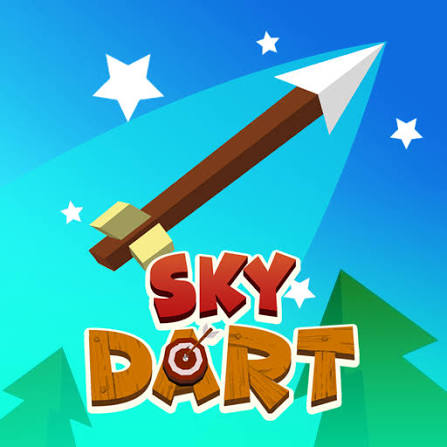
Sky Dart takes the simple thrill of launching a projectile and turns it into a genuinely engaging distance-chasing arcade game. Controlling an arrow through a massive, obstacle-filled map, your goal is straightforward: launch with the right power and angle, then steer mid-flight to dodge trees, houses, rocks, and whatever else stands between you and a new personal best distance.
What separates Sky Dart from a purely one-shot launch game is the active mid-air control layer. After the initial launch — set by holding and dragging to determine strength and angle — you can continue swiping left and right while the arrow is in flight, actively navigating around obstacles rather than simply hoping your launch angle clears everything. This turns each attempt into an ongoing skill challenge rather than a single input followed by a passive wait, giving players real agency over how far they can ultimately travel.
Distance traveled converts directly into coin rewards, with target boards scattered along the path offering a chance to double your earnings if you manage to hit one during flight. Those coins fund strength upgrades that push your baseline distance higher over time, creating a steady progression loop layered on top of the moment-to-moment skill challenge. With simple one-button, mouse-only controls, Sky Dart is easy to pick up immediately while still rewarding players who take the time to master its timing and mid-air steering.
Key Details:
- Genre: Arcade / Distance Challenge
- Difficulty Level: Easy to learn, rewarding to master
- Average Play Time: 5-10 minutes per session
- Best For: Fans of simple, addictive one-button arcade games and distance-chasing challenges
2. How to Play
Getting Started:
- Hold and drag the arrow to set your launch strength and angle.
- Release to fire the arrow into the map.
- Swipe left or right while the arrow is airborne to steer around obstacles.
- Aim to hit target boards along the path to double your coin rewards.
- Use earned coins to purchase strength upgrades and improve future launches.
Basic Controls:
| Action | Control |
|---|---|
| Set strength/angle and launch | Hold, Drag, and Release (Mouse) |
| Steer mid-air | Swipe Left/Right (Mouse) |
Objective: Launch your arrow as far as possible across an obstacle-filled map, steering around hazards mid-flight and hitting target boards for bonus coins to fund strength upgrades.
3. Game Features & Highlights
- Endless arcade archery-style gameplay with genuine mid-air control
- Massive map filled with obstacles, including trees, houses, and rocks
- Target boards that double coin rewards when hit during flight
- Super simple, intuitive one-button controls
- Strength upgrade system for steadily increasing distance potential
4. Tips & Strategies
Beginner Tips:
- Take your time setting your initial launch angle rather than rushing the drag-and-release input.
- Practice mid-air steering on early throws to get a feel for how much control you have over the arrow's path.
- Reinvest early coin earnings into strength upgrades rather than saving them.
Advanced Strategies:
- Plan your mid-air steering around known obstacle clusters rather than reacting only at the last moment.
- Prioritize routes that pass near target boards, since hitting them doubles your coin reward for that launch.
- Balance launch angle choice with the specific obstacle layout you're aiming to navigate, rather than always using the same angle.
What to Watch Out For:
- Over-steering mid-flight, which can send your arrow into a different obstacle than the one you were originally avoiding.
- Rushing the initial launch input, resulting in weaker power or a less useful angle.
5. Game Elements Explained
Launch Timing & Angle System: Every throw begins with a hold-and-drag input that determines both the strength and angle of your launch. Because this single input sets the baseline trajectory for the entire flight, taking time to refine it — rather than rushing — has a meaningful impact on how much mid-air steering room you'll have to work with afterward. This makes the launch phase just as important as the in-flight steering that follows.
Mid-Air Steering: Unlike simpler launch-and-wait games, Sky Dart lets players actively steer their arrow left and right during flight, turning obstacle avoidance into an ongoing skill challenge rather than a single upfront decision. This mechanic rewards players who stay engaged throughout the entire flight, watching for upcoming obstacles and adjusting their path continuously rather than setting an angle and disengaging.
Target Boards & Strength Upgrades: Target boards scattered along the map offer a bonus opportunity to double coin earnings for a given launch, incentivizing players to steer toward them when it's safe to do so. Coins earned — whether from distance or target board bonuses — fund strength upgrades that raise your baseline launch power over time, creating a steady progression loop that makes each subsequent attempt slightly more capable than the last.
6. Frequently Asked Questions
Q: How do I launch the arrow?
A: Hold and drag using your mouse to set the strength and angle, then release to fire the arrow into the map.
Q: What should I do if my arrows keep hitting obstacles early?
A: Practice your mid-air steering by swiping left or right during flight, and consider adjusting your initial launch angle to give yourself more room to maneuver.
Q: Is this game compatible with mobile browsers?
A: Yes, Sky Dart's mouse-based hold-and-swipe controls translate well to touch input, making it playable on both desktop and mobile browsers.
Q: Can I save my progress?
A: Coins and purchased strength upgrades are generally saved within your browser session as you play.
Q: How do I earn bonus coins?
A: Steer your arrow to hit target boards scattered along the map during flight — doing so doubles your coin reward for that launch.
7. Related Games You Might Enjoy
If you like Sky Dart, you might also enjoy:
- Crazy Taxi - It shares a arcade focus while offering a different browser-game challenge.
- Lift Off - It shares a arcade focus while offering a different browser-game challenge.
- Lift Off 2 - It shares a arcade focus while offering a different browser-game challenge.
Sort byNewest
Add a Comment
Fan-made hub; not affiliated with the official owners of 99 Nights.