featured drop · battle royale
Play Zombs Royale Online - Free Browser Game
Loot quickly, stay ahead of the gas, and outlast up to 100 players in a fast 2D battle royale.
Recommended games
Similar energy to keep the flow going
Newest Games
Just added to the forest roster
Zombs Royale guide
Overview, how to play, tips, and FAQs
1. Game Overview
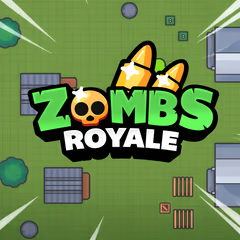
Zombs Royale is a fast 2D battle royale where up to 100 players enter a bright overhead arena, search for equipment, and fight to become the last survivor or team. Matches typically last about five to ten minutes, making the full battle-royale loop—drop, loot, rotate, fight, and survive—accessible in a short browser session.
Weapons come in rarity tiers from Common to Mythic, so opening chests quickly can create an early advantage. That advantage never removes the need for positioning because a shrinking gas circle continuously reduces the safe area. Players must decide when to fight, when to hide behind terrain, and when to leave a good location before the gas turns it into a trap. Solo mode rewards independent awareness, while Duos and Squads add revives, shared loot, and coordinated attacks.
Limited-time modes such as Zombie, 50v50, or Superpower variants change the usual rules and keep the arena fresh. Character outfits, emotes, backpacks, and skins add personalization without needing to determine combat power. Zombs Royale's appeal is its balance of simplicity and tactical depth: controls are easy to learn, matches start quickly, and every circle produces new decisions. It is ideal for players who want competitive survival without the long setup or heavy hardware demands of a large 3D battle royale.
Key Details:
- Genre: 2D Battle Royale / Multiplayer Shooter
- Difficulty Level: Variable
- Average Play Time: 5-10 minutes per match
- Best For: Competitive players who enjoy quick PvP, looting, shrinking zones, team coordination, and varied modes
2. How to Play
Getting Started:
- Enter a match and move toward nearby buildings or chests.
- Pick up a weapon, ammunition, healing, and useful defensive items.
- Check the map and move before the gas reaches your location.
- Use cover, weapon range, and positioning to win fights.
- Survive the final circle alone or with the last remaining team.
Basic Controls:
| Action | Control |
|---|---|
| Move | WASD or Arrow keys |
| Aim and shoot | Mouse |
| Open chests / Pick up loot | E |
| View map | M or Tab |
Objective: Outlast every opponent by collecting strong loot, remaining inside the safe circle, and winning the final encounter in Solo, Duos, Squads, or a limited-time mode.
3. Game Features & Highlights
- ✓ Fast 2D battle-royale matches with up to 100 players
- ✓ Solo, Duos, Squads, and rotating limited-time modes
- ✓ Weapon rarity from Common through Mythic
- ✓ A shrinking gas circle that constantly changes positioning
- ✓ Cosmetic outfits, emotes, backpacks, and skins for personalization
4. Tips & Strategies
Beginner Tips:
- Pick up the first usable weapon before comparing rarity or category.
- Check the map after the opening loot phase, not after gas is already close.
- Use buildings and terrain to reduce the angles from which opponents can shoot.
Advanced Strategies:
- Rotate along the edge of the safe zone to limit enemies behind you.
- Carry weapons for complementary ranges rather than two serving the same role.
- In team modes, share healing and ammunition before the final circle.
What to Watch Out For:
- Spending too long looting can turn a strong inventory into a losing gas run.
- Firing without cover reveals your position to opponents beyond the current target.
5. Game Elements Explained
Loot, Rarity, and Loadout Building: Early loot determines immediate options but not the final result. Open chests and collect the first functional weapon quickly, then improve the loadout as safer opportunities appear. Higher rarity usually signals better performance, yet range and role still matter. A Mythic close-range weapon cannot answer every distant opponent, so pair complementary categories and keep sufficient ammunition for both. Healing and utility items deserve inventory space because surviving one engagement may matter more than carrying a third gun. In Duos or Squads, distribute items according to need instead of letting one player hold everything. Loot efficiently by entering a location with an exit route and leaving when upgrades become marginal. The longer you search, the more likely another player or the gas converts that location into a trap. After each attempt, review which decision created the most danger and change that step first. This deliberate feedback loop makes the system easier to read and produces steadier progress than relying on speed, guesswork, or luck alone, especially when later stages add pressure.
Safe Zone, Positioning, and Team Play: The gas circle forces movement and prevents passive hiding forever. Check the map early, estimate travel time, and rotate before the shortest route becomes crowded. Edge movement reduces the chance of enemies arriving from behind, while central positioning shortens future rotations but attracts more fights. Choose based on equipment and health. In combat, use walls and natural cover to expose as little of the character as possible. Team modes add communication and resource sharing: stay close enough to support a fight but not so close that one attack hits everyone. Revive only when cover and enemy position make it safe. The final circle rewards patience, information, and coordinated timing more than unnecessary early firing. A useful practice is to pause after failure and identify the earliest preventable mistake rather than only the final hit. Correcting that earlier decision preserves more options and makes the next attempt measurably safer from beginning to end.
6. Frequently Asked Questions
Q: How do I pick up weapons and open chests?
A: Move close to the item or chest and press E, then select the equipment you want to carry.
Q: What should I do if the gas circle is closing?
A: Open the map with M or Tab, choose a covered route into the safe zone, and move before damage forces a rushed path.
Q: Is the game compatible with mobile browsers?
A: The game is designed to run across browsers and mobile devices, but control layout and performance vary. Desktop provides the documented inputs.
Q: Can I save my progress?
A: Individual matches cannot be resumed after leaving. Cosmetic or account progress requires the game's own profile system when available.
Q: How do I unlock cosmetics or limited-time modes?
A: Cosmetics are obtained through the systems shown in the game, while limited-time modes appear automatically during their active rotation.
7. Related Games You Might Enjoy
If you like Zombs Royale, you might also enjoy:
- Survev.io - Another top-down battle royale centered on quick looting and safe-zone movement.
- Shell Shockers - A fast browser shooter with immediate multiplayer competition.
- Narrow One - A team-based browser battle where positioning and ranged accuracy matter.
Sort byNewest
Add a Comment
Fan-made hub; not affiliated with the official owners of 99 Nights.